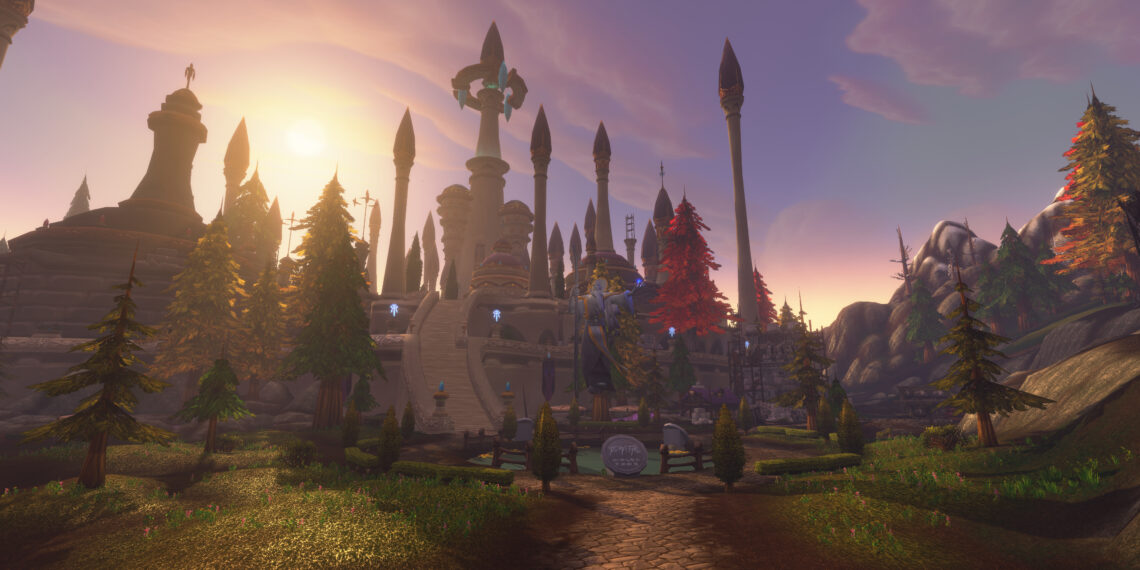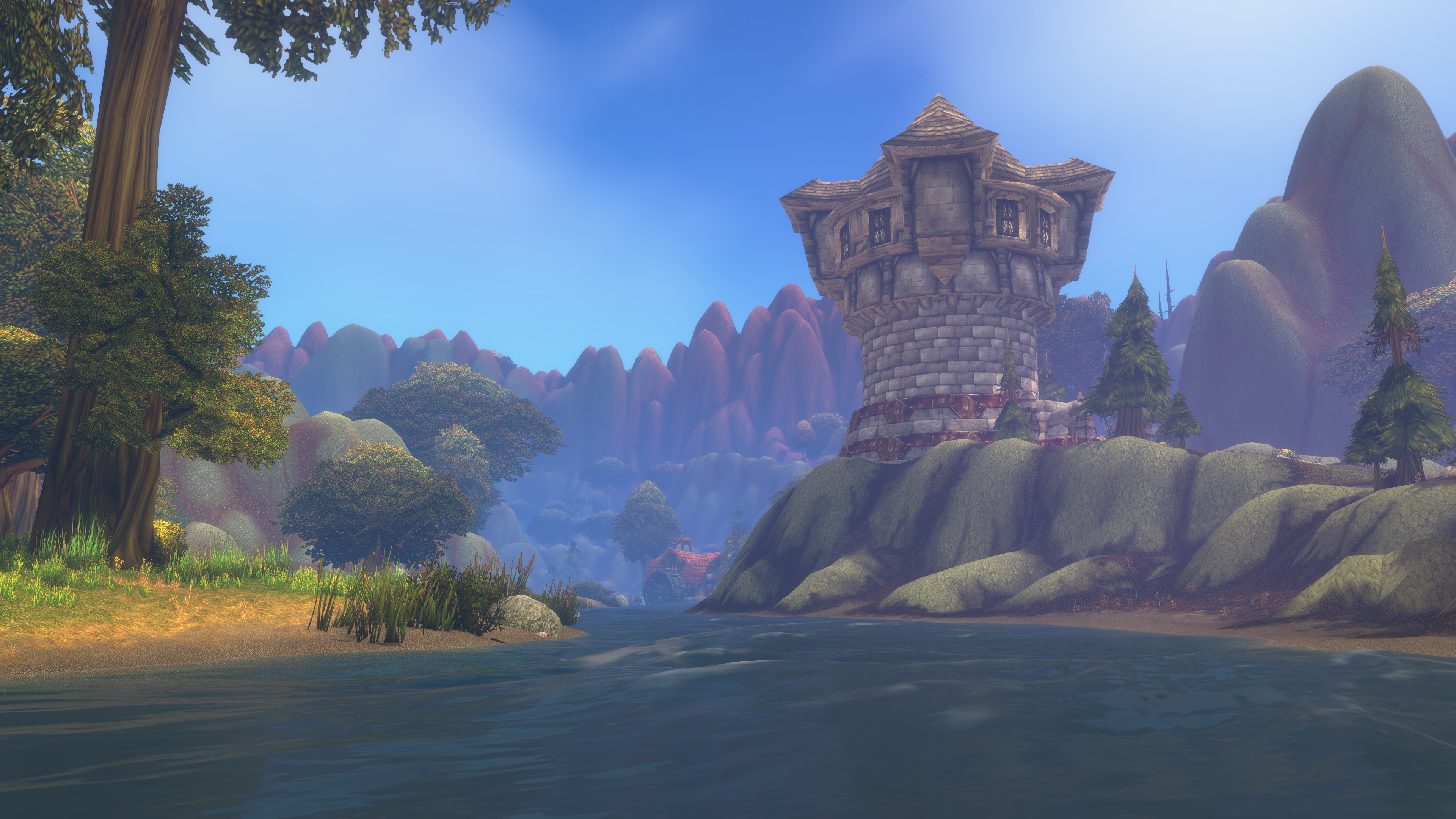
What are the best WoW Forever addons? World of Warcraft: Forever’s release date is fast approaching. Thanks to the beta test, several addons have gained attention. The WoW Forever beta has been extended to Friday, October 23, 2026, until 10 AM PDT. The stress test will take place tomorrow, October 21, 2026, at 2 PM PDT. Character name reservations will open on October 27, 2026, at 1 PM PDT.
The WoW Forever beta may be ending, but the real launch is coming up fast. Tons of new add-ons have been popping up for WoW Forever. Some make the game more immersive, and others provide useful functionality. Let’s take a glance at a few helpful add-ons.
Affiliate Disclosure


Since I share awesome products with people like you, my content may include affiliate links to products I use and love. If you take action (i.e., subscribe, make a purchase) after clicking one of these links, I’ll earn some coffee money (or game time *gasp*).
As an Amazon Associate, I earn from qualifying purchases. For more information, see Paid for Advertising.com, which explains affiliate marketing in more detail.
Best WoW Forever Add-ons
Spoken
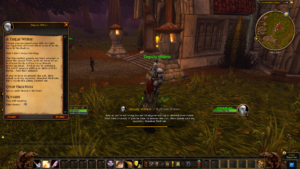
Get it here: Spoken
My favorite new WoW Forever add-on is Spoken. WoW Forever includes limited voice acting, just like vanilla WoW. The Spoken add-on brings quests to life. The mod reads quests aloud, and it sounds fantastic. I also enjoyed hearing the lore every time I entered a new zone
Be sure to download the add-on components. You need the modules for each voice. I didn’t realize I was missing something until I tried to use the add-on in-game.
The add-on description said it uses expressive, character-driven AI voiceover for both WoW Forever and WoW Classic. It reads aloud quest dialogue, NPC gossip, zone lore, and books. But don’t forget to install the voice modules too, or the add-on won’t talk.
The description on CurseForge says:
Voiced with care:
-
Voices fit the character, not just race and gender: a dwarf warrior and a dwarf official don’t sound alike.
-
A narrator reads quests from objects such as wanted posters, and stage directions like
<Advisor Belgrum opens the note.> -
Sounds are performed, not spelled out:
*hic*is a hiccup, not “asterisk hic asterisk”. -
Names and places are pronounced right, from a pronunciation dictionary.
-
A more natural performance throughout.
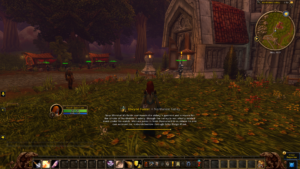
More Details From The Official Description:
-
Quests: the quest text plays as the dialog opens, and NPC gossip and greetings are voiced too. Every quest in the log has a Play button.
-
Zones: the story of each zone and area in a panel beside the world map, with a picture of the place. An area you discover for the first time is narrated once. Lore of Azeroth browses every story without the map.
-
Books: open a book and it reads every page in order, following you as you turn them. Your mail is never read.
-
One queue: quest lines, zone stories and books wait their turn; nothing talks over anything. Stop, Replay and Skip from the screen, the minimap button or a key binding.
-
Your choice of display: subtitles low on screen with the speaker’s picture, a small window, the large classic window, or voice only.
-
The game makes room: music, ambience and NPC voices are turned down while a line plays.
-
Interface in nine languages: English, German, Spanish, French, Korean, Portuguese, Russian and both Chinese scripts.
Want to show your love for the Alliance? Then check out the Nemesis Now World of Warcraft Alliance Wall Plaque available on Amazon.
Attune
Get it here: Attune
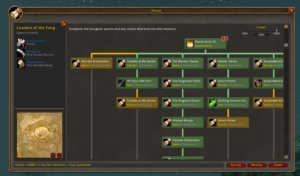
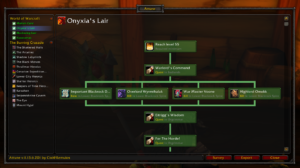
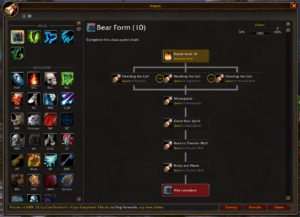
The Attune add-on guides you through the attunement and dungeon progress. The best thing about this add-on is the clear visuals. You can see all the quest chains that are required for dungeons or attunements. You can share it with your guild members because it shows everyone which step they’re currently on. These images from the official CurseForge page show examples of the add-on’s functionality.
Baganator
Get it here: Baganator
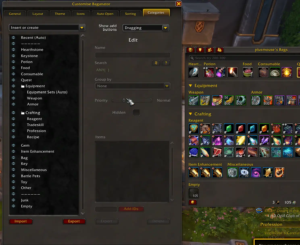
The Baganator add-on is a must-have for organizing your bags. This useful add-on lets you see all your bags at once. Sort your bags from anywhere. Browse your character bank and guild bank anywhere in Azeroth. It has simple search options so you can find what you need. Check out the mod highlights from CurseForge below.
Highlights
-
Single or categories view bags and single or categories view bank, with sections for special containers.
-
Inventory information in item tooltips, from bags, banks, guild banks, void storage, mail and active auctions.
-
No taint/protected action errors caused by it.
-
Browsing any characters’ bags, bank and guild bank from anywhere.
-
Sorting items built in. This includes ignoring slots, different ordering (type, quality, expansion), and doing the bank bags/reagent bank together.
-
Simple, fast and efficient searches. Has keywords, by name, item type (armor/etc.), inventory slot (head/etc.), other keywords (like potion, food, etc.) and expansion (retail only, vanilla/df/etc.), item level searches (200-210, <190, >220), combining searches with & or | and inverting with !
-
Supports common bag item icon enhancement addons.
-
Can show BoE, item level, Pawn upgrade arrows etc. on the item icons and customise which corners the information shows on, prioritising the most wanted info.
-
Guild bank view, split into tabs, that supports all the search/icon features the bags/bank do and remote guild bank viewing.
-
Transfer button to move searched for items into the bank or bags or vendor/scrap/mail the items.
Talents Forever
Get it here: Talents Forever
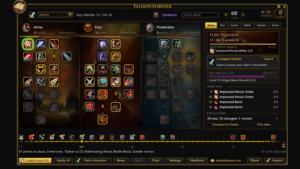
Talents Forever is a nifty add-on that lets you play with different talent builds without spending points. See which trajectory you plan to use. It’s helpful because there are many different talent builds. Talents Forever lets you play with your talent points without consequences.
Spruce up your World of Warcraft decor with the World Red Horde Neon Sign Gaming Symbol Wall Decor available on Amazon.
Forever Meter: Threat, damage, healing, and more
Get it here: Forever Meter Threat
The Forever Meter helps you monitor threat. Keeping an eye on your threat meter can tell you if an enemy senses you nearby. This can help you avoid sticky situations, especially while questing. Monitoring your threat is also good in dungeons, especially if you don’t want to steal threat from the tank. Per the official CurseForge page, here is what you get with the addon.
What you get
-
10 displays: damage, healing, absorbs, damage taken, enemy damage taken, avoidable damage taken, interrupts, dispels, deaths, threat. Plus DPS: damage with the per second value only.
-
Up to 4 windows, each with its own display, session, size and lock. Windows snap to each other.
-
Per window: bar text (total, per second, percent), my bar only, no title bar, big number. Together they make a plain DPS counter.
-
Your own bar always shown, with your real rank, even below the visible rows.
-
Sessions: current fight, overall, or any fight kept by the game.
-
Per-spell breakdown on click, top 5 spells on hover, spell-by-spell comparison of two players.
-
Death recap: time of death and last hits taken.
-
Threat warning, visual and sound, above an adjustable threshold.
-
Chat report (
/fm report 5) and copy as text for Discord. -
Options panel: bar textures, six bundled fonts, LibSharedMedia support, bar height, background opacity, scale.
-
Auto show (only in combat or in a group), auto reset (new instance or new group), key bindings, addon compartment button, test mode.
-
11 languages: enUS, frFR, deDE, esES, esMX, itIT, ptBR, ruRU, koKR, zhCN, zhTW.
Questie
Get it here: Questie
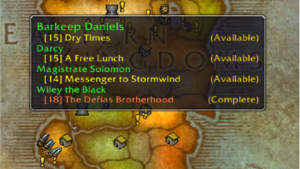
The Questie addon shows active and available quest givers. It also shows objective drop locations and NPC pathing on the world and minimap. Questie automatically tracks new quests. You can also share quest progress with party members directly inside tooltips. You can record your completed quests. If you’re a completionist, you can check what quests are left in each zone. You can also search the internal database for any NPC, monster, or object. The Questie developers posted on Reddit to explain what the team is working on for WoW Forever.
A quick summary of the important points…
- Yes, Questie is coming to WoW Forever, and we plan to support it Forever™.
- Version 12.0.1 brings a lot of massive under-the-hood changes (refactors galore!). These changes should all benefit stability and performance but, as with anything this extensive, there will be issues at launch.
- This update supports Forever alongside all Classic versions, although it does not have any new Forever content (yet). It will be updated regularly to add new content.
- In order gather data for all the new content, we’ve made a new addon called QuestieTrace that collects anonymous data from your gameplay sessions and allows you to upload that data to us, similar to Wowhead’s Looter addon. Learn more below.
Known issues with v12.0.1:
- The Questie map button distorts the clickable region for Blizzard’s map pin button in Forever.
- Some instances are not located at the right coordinates in Forever (Stratholme, Deeprun Tram)
- Occasionally the Blizzard quest tracker becomes briefly visible in Forever.
- Questie tooltips do not currently work inside instances in Forever.
- New quests added in Forever are not currently trackable.
- New townsfolk (trainers, vendors, mailboxes, etc) added in Forever are not yet shown by Questie.
- These can still be shown on the minimap (not map) using Blizzard’s tracking button.
- There are occasional lua errors; please report these as you encounter them, and describe what was happening when they occurred.
- Notification sounds do not play in Forever.
Best WoW Forever Add-ons

What are your favorite WoW Forever add-ons? I hope this article helped you get started in WoW Forever. Thank you for reading. Don’t forget to share this article on social media. If you’d love to read more World of Warcraft or video game-themed content, check out the posts below.
What new dungeons are coming to World of Warcraft: Forever?
What is wrong with modern World of Warcraft?
What is World of Warcraft: Forever?
What are great specs for a gaming PC?
World of Warcraft Racism and Discrimination
What are the best games for Nintendo Switch?
What is the best gaming monitor?
Thank you for hanging out at my hearth,
Spyells